IPTV Smarters Pro Overview: Everything You Need to Know
- Jim McGinnis
- Jan 19
- 4 min read

In the world of digital entertainment, streaming services have revolutionized how we consume content. For sports fans, movie lovers, and TV enthusiasts, having a reliable and feature-rich platform to access their favorite channels and shows is essential. One such platform gaining popularity is IPTV Smarters Pro. This app offers a seamless way to manage and play IPTV subscriptions across various devices, making it a top choice for users in the United States seeking an enhanced streaming experience.
IPTV Smarters Pro Overview
IPTV Smarters Pro is a versatile IPTV player designed to provide users with an intuitive interface and powerful features. It supports multiple IPTV formats, allowing users to stream live TV, movies, series, and catch-up content from their IPTV service providers. The app is compatible with Android, iOS, Windows, macOS, and smart TVs, making it accessible on almost any device.
Some of the key features include:
User-friendly interface: Easy navigation with customizable layouts.
Multi-screen support: Watch multiple channels simultaneously.
EPG (Electronic Program Guide): View detailed program schedules.
Parental controls: Restrict access to certain content.
External player support: Use your preferred media player.
Multi-language support: Suitable for diverse audiences.
These features make IPTV Smarters Pro a comprehensive solution for managing IPTV subscriptions efficiently.
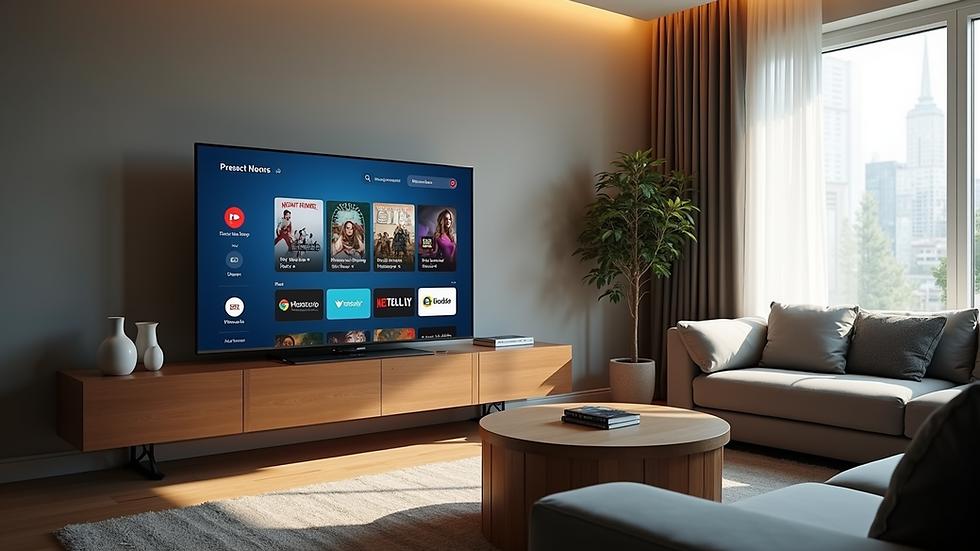
How to Set Up IPTV Smarters Pro
Setting up IPTV Smarters Pro is straightforward and can be done in a few simple steps:
Download and install the app: Available on Google Play Store, Apple App Store, or directly from the official website.
Launch the app: Open IPTV Smarters Pro on your device.
Add your IPTV subscription: You can add your IPTV service using one of the following methods:
Playlist URL (M3U link): Enter the URL provided by your IPTV provider.
Xtream Codes API: Input your username, password, and server URL.
Customize settings: Adjust video quality, subtitles, and parental controls as needed.
Start streaming: Browse live TV, movies, and series from your subscription.
For example, if you have a subscription from a provider like Uwinmediapro, you can easily input your credentials and start enjoying your content immediately.

What is the difference between IPTV Smarters Pro and IPTV Smarters?
While the names are similar, IPTV Smarters Pro and IPTV Smarters have distinct differences that affect user experience:
IPTV Smarters is the basic version of the app, offering essential features for streaming IPTV content. It is free to use but comes with limited customization and lacks advanced functionalities.
IPTV Smarters Pro is the premium version, packed with additional features such as multi-screen viewing, parental controls, external player support, and a more polished user interface. It is designed for users who want a more robust and customizable IPTV experience.
Choosing between the two depends on your streaming needs. If you want a simple player, IPTV Smarters might suffice. However, for a feature-rich experience that supports multiple devices and advanced controls, IPTV Smarters Pro is the better option.
Benefits of Using IPTV Smarters Pro for Sports, Movies, and TV Fans
For fans of live sports, movies, and TV shows, IPTV Smarters Pro offers several advantages:
Live Sports Streaming: Watch your favorite games in real-time with minimal buffering. The multi-screen feature allows you to follow multiple matches simultaneously.
On-Demand Movies and Series: Access a vast library of movies and TV series with easy navigation and search options.
Catch-Up TV: Missed a live broadcast? Use the catch-up feature to watch shows at your convenience.
High-Quality Streaming: Supports HD and 4K streaming depending on your IPTV provider and internet connection.
Cross-Device Compatibility: Start watching on your smart TV and continue on your mobile device without interruption.
These benefits make IPTV Smarters Pro an ideal choice for users who want to enjoy a seamless and flexible streaming experience.
Tips for Optimizing Your IPTV Smarters Pro Experience
To get the most out of your IPTV Smarters Pro app, consider the following tips:
Use a stable internet connection: For uninterrupted streaming, a broadband connection with at least 10 Mbps speed is recommended.
Update the app regularly: Keep the app updated to access new features and security improvements.
Customize the interface: Adjust themes, layouts, and channel lists to suit your preferences.
Enable parental controls: Protect younger viewers by restricting access to inappropriate content.
Use external players: If you experience playback issues, try using external media players like VLC or MX Player.
Backup your playlists: Save your IPTV playlists to avoid losing your channel list during app updates or device changes.
By following these recommendations, you can enhance your viewing experience and make IPTV Smarters Pro work best for your entertainment needs.
Exploring the Future of IPTV Streaming with IPTV Smarters Pro
As streaming technology evolves, IPTV Smarters Pro continues to adapt by integrating new features and improving user experience. The app's ability to support multiple devices and formats positions it well for future growth in the IPTV market. Additionally, platforms like Uwinmediapro are focusing on delivering reliable IPTV services tailored to the United States audience, ensuring users have access to high-quality content and smooth streaming.
For sports fans, movies fans, and TV enthusiasts, IPTV Smarters Pro offers a powerful tool to manage and enjoy their subscriptions effortlessly. Whether you want to catch the latest game, binge-watch a new series, or explore international channels, this app provides the flexibility and functionality needed for modern streaming.
Explore more about iptv smarters pro and elevate your streaming experience today.


Comments